
CPR112.4.4 - App Store
You'll be able to see results in few seconds.
Publisher Description
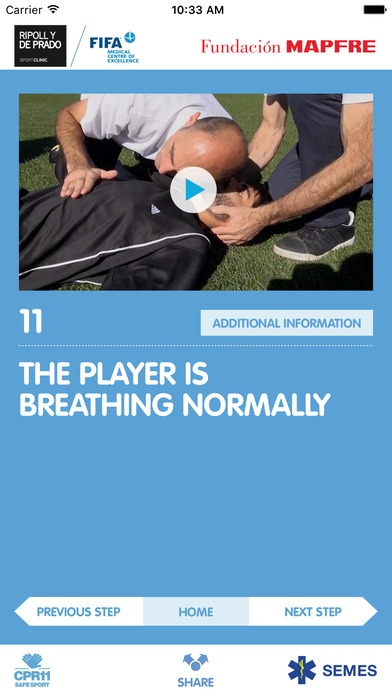
Sudden cardiac arrest (SCA) is a vital emergency that may occur on the football field. When it happens, we should all know how to respond immediately.
In a simple way and in just 11 steps, the CPR 11 application offers a plan with clear and precise instructions on how to give compressions and ventilations correctly, how to handle an automatic external defibrillator (AED) and if necessary, how to transfer the player.
With the help of text and voice messages, the 11 short videos will help you recognise a SCA and meet the objective of starting resuscitation maneuvers in the first 2 minutes and early defibrillation in the first 3 minutes after the player s collapse.
The application has been designed taking into account some of the specific characteristics of SCA cases during contact sports, such as football, like taking special care of the cervical spine when handling the player.
CPR 11 is a guide that may be very useful for anyone (players, coaches, referees, relatives, spectators, etc) attending sports events of any level. It is not a substitute for proper training in cardiopulmonary resuscitation (CPR). We recommend everyone to receive formal instruction in CPR and AED use.
This initiative is one of the campaigns promoted by FUNDACION MAPFRE and is part of the comprehensive prevention programme for the appropriate management of SCA / SCD (Sudden cardiac death) and other serious field of play medical emergencias developed by FIFA/F-MARC.
CPR 11 has been designed by specialists from Ripoll & De Prado Sport Clinic (FIFA Medical Center of Excellence) & FIFA/F-MARC and is endorsed by the Spanish Society of Emergency Medicine (SEMES).
Download the application and share it with everyone. Showing these techniques to the greatest number of people, will help in saving lives.
Requires iOS 9.0 or later. Compatible with iPhone, iPad, and iPod touch.
About CPR11
The company that develops CPR11 is Fundacion MAPFRE. The latest version released by its developer is 2.4.4.
To install CPR11 on your iOS device, just click the green Continue To App button above to start the installation process. The app is listed on our website since 2014-12-03 and was downloaded 0 times. We have already checked if the download link is safe, however for your own protection we recommend that you scan the downloaded app with your antivirus. Your antivirus may detect the CPR11 as malware if the download link is broken.
How to install CPR11 on your iOS device:
- Click on the Continue To App button on our website. This will redirect you to the App Store.
- Once the CPR11 is shown in the iTunes listing of your iOS device, you can start its download and installation. Tap on the GET button to the right of the app to start downloading it.
- If you are not logged-in the iOS appstore app, you'll be prompted for your your Apple ID and/or password.
- After CPR11 is downloaded, you'll see an INSTALL button to the right. Tap on it to start the actual installation of the iOS app.
- Once installation is finished you can tap on the OPEN button to start it. Its icon will also be added to your device home screen.
Program Details
System requirements
Download information
Pricing
Version History
version 2.4.4
posted on 2014-12-03
Disclaimer
Official App Store Link
We do not host CPR11 on our servers. We did not scan it for viruses, adware, spyware or other type of malware. This app is hosted by Apple and passed their terms and conditions to be listed there. We recommend caution when installing it.
The App Store link for CPR11 is provided to you by apps112.com without any warranties, representations or guarantees of any kind, so access it at your own risk.
If you have questions regarding this particular app contact the publisher directly. For questions about the functionalities of apps112.com contact us.
